API Keys
Create a key for the dartpilot public API.
The public API is read-only and uses API keys. You
create and manage keys in the dartpilot web app, not through the API itself.
Every request sends the key in the x-api-key header.
Keys are created for your account, start with dp_, and are read-only.
Create a key
-
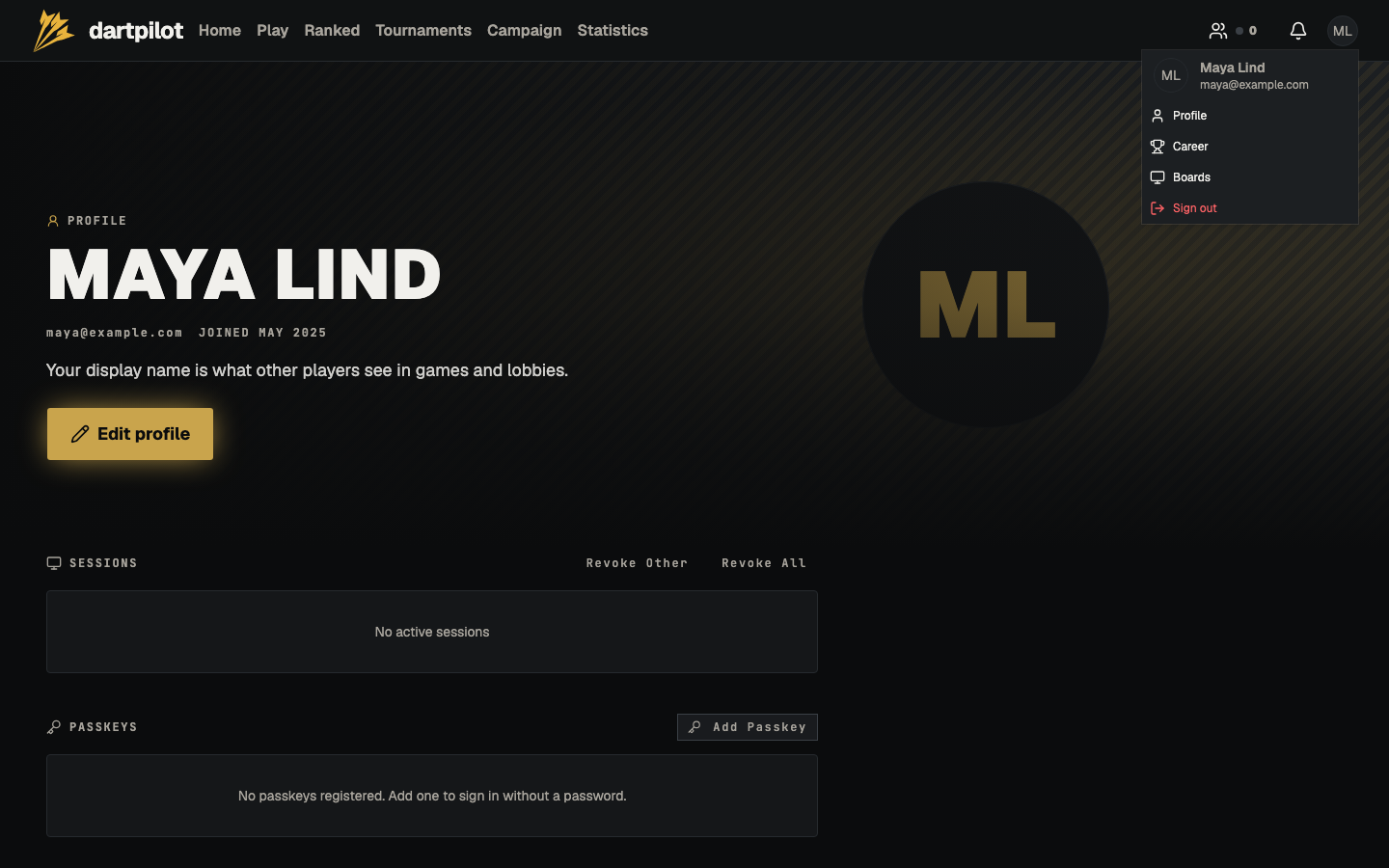
Sign in, open the account menu in the top right, and choose Profile.
-
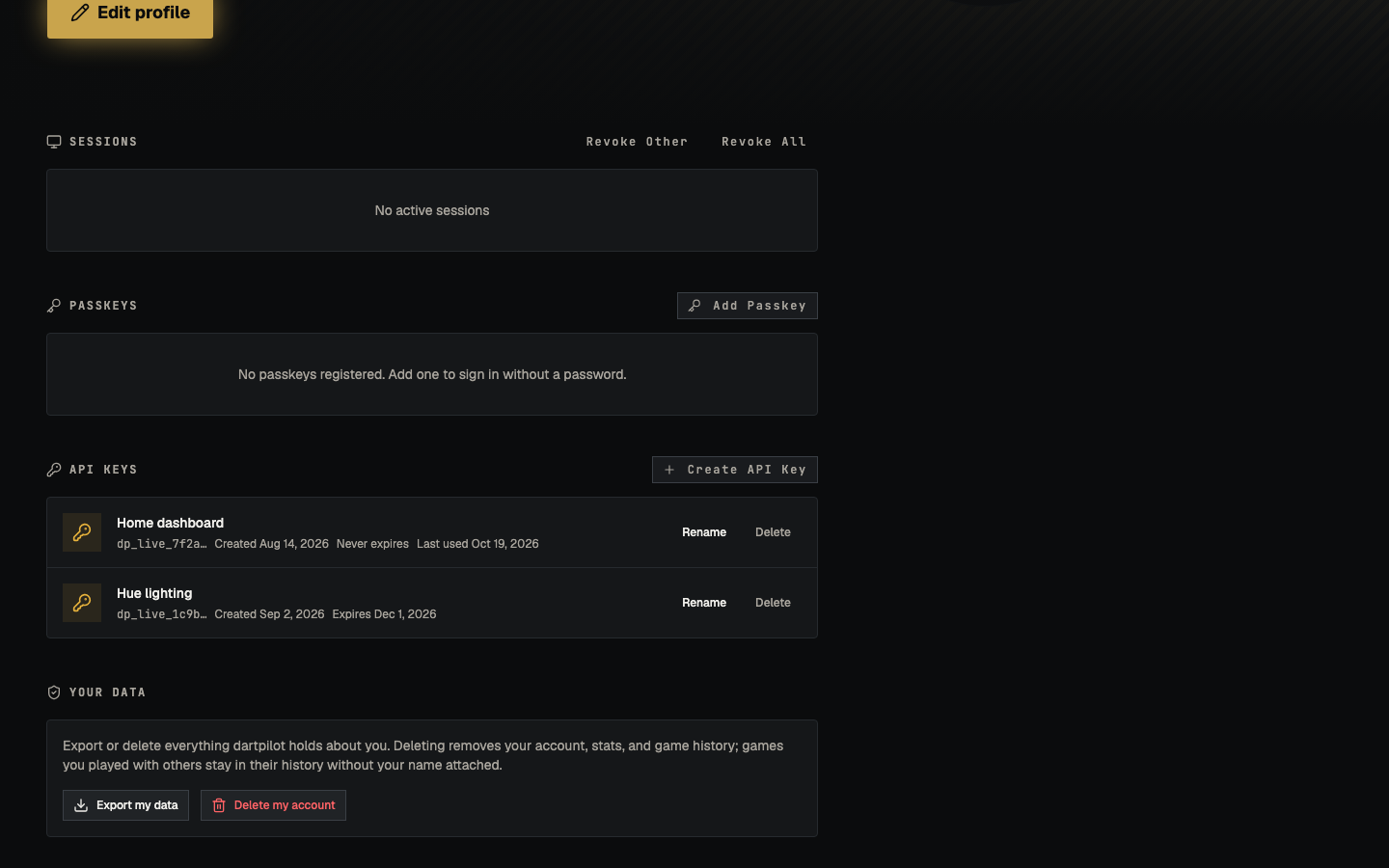
Scroll to API Keys and select Create API Key.
-
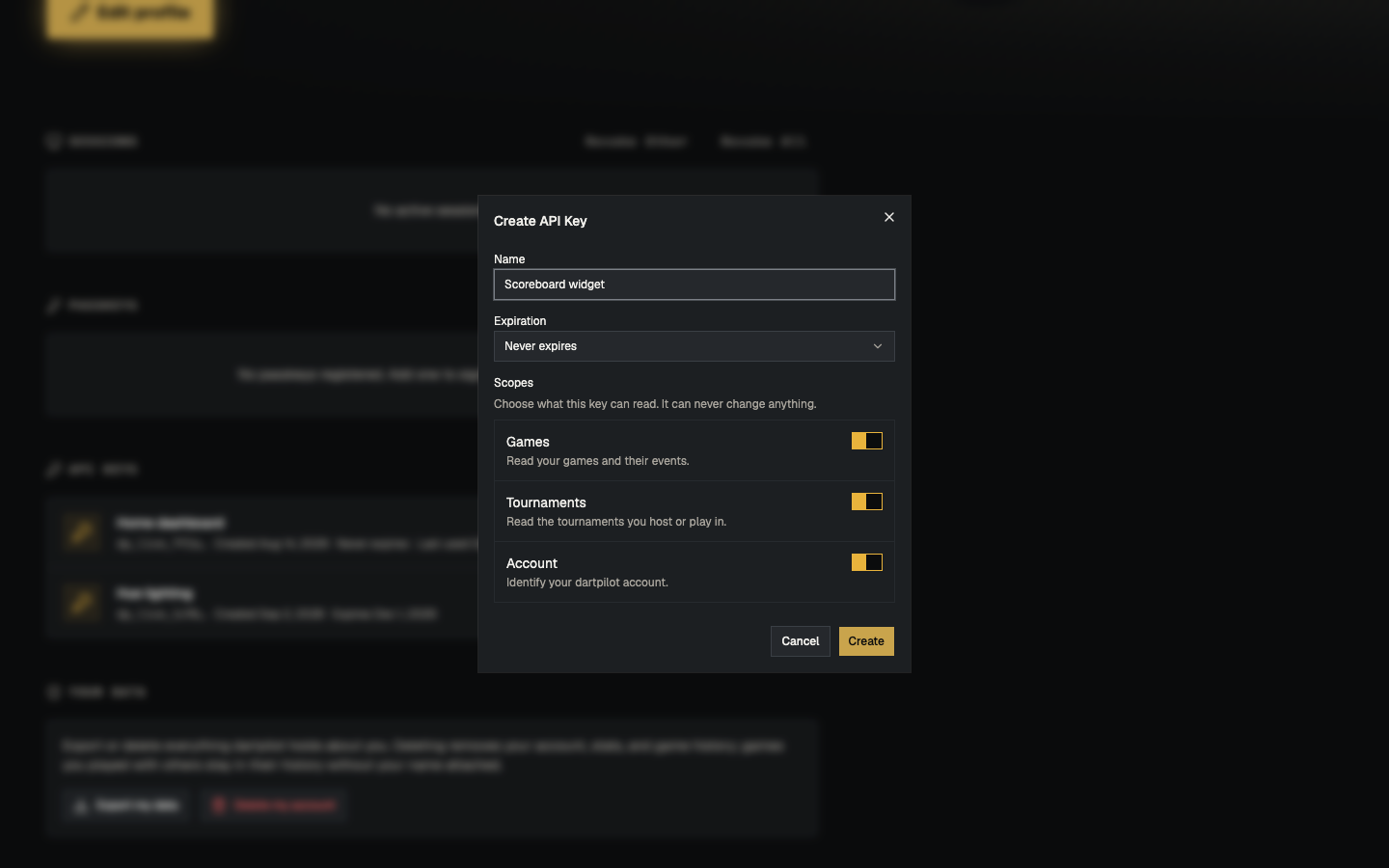
Give the key a name, choose when it expires, and pick its scopes.
-
Select Create, then copy the key from the dialog. Keep it somewhere safe.
Scopes
A key can only read what its scopes allow. All three scopes are selected by default, and you can turn off the ones an integration does not need.
| Scope | Lets the key read |
|---|---|
games:read |
Games you own or may view, their events, and public lobbies |
tournaments:read |
The tournaments you host or play in |
account:read |
The account the key belongs to |
A request to an endpoint outside the key’s scopes returns 403. Keys are
read-only: they can never change or delete anything.
Make your first request
Replace the example key with the key you copied:
curl https://api.dartpilot.app/v1/whoami \
  -H "x-api-key: dp_your_key_here"
The response describes your account.
Polling and conditional reads
Cached responses include an ETag. Send it back as If-None-Match, and the API
returns 304 Not Modified with an empty body while the game has not changed:
curl -i https://api.dartpilot.app/v1/games/GAME_ID \
  -H "x-api-key: dp_your_key_here" \
  -H 'If-None-Match: "..."'
Game detail also accepts ?since=<stateUpdatedAt>. When the game has not moved
since that timestamp, the response is { "unchanged": true } instead of the full
game.
Responses are served from a short shared cache, so a conditional poll is much
cheaper than downloading the full game every time. Add x-d1-bookmark when your
integration needs read-your-writes: that header always bypasses the cache.
For continuous play, prefer the live reads instead of polling one game:
GET /v1/games/livelists active games you may view.GET /v1/games/{id}/summaryreturns the live scoreboard: per-seat scores, whose turn it is, leg/set, checkout suggestion and board presence.
Use the full game detail when you need its config and raw state.
Discover lobbies
Hosts can mark a lobby public. Use GET /v1/lobbies to list open public
lobbies, newest first:
curl https://api.dartpilot.app/v1/lobbies \
  -H "x-api-key: dp_your_key_here"
The list includes the host, game type, seated player count and board. It never contains the lobby join code or pending invites.
GET /v1/lobbies/{id} returns the lobby’s seated players, game config and
board. Public lobbies are visible to any user key. Private lobbies are only
visible to the host, its members and the host’s friends. Once a lobby starts a
game, use GET /v1/games/live or the game endpoints to follow it.
Manage keys
From the same API Keys section you can rename a key or delete it. Deleting a key takes effect immediately and breaks any integration still using it.
Rate limits
Each key can make 120 requests per minute. Each account can make 600 requests
per minute across all of its keys, and each client IP can make 600 requests
per minute. Over the limit, the API returns 429 with a Retry-After header.
Learn more
- API Reference — every endpoint, with request and response examples.
- Types and SDKs — generate typed clients and webhook handlers from the OpenAPI document.
- Webhooks — receive signed game and tournament events.
- MCP Server — connect an AI assistant. MCP uses its own sign-in and does not need an API key.